Gamblezen App Download for Android and iOS: Safe Install in the UK
Gamblezen App Download for players in United Kingdom in 2026. Claim the offer and start playing today. Updated by our editors. Verified data only. No small print surprises.
- 12,000+ games
- Coins & shop rewards
- 18+ only










Gamblezen: welcome bonus for new players
- quick registration
- mobile-friendly
- fast payouts
I walk through how GB players get the Gamblezen app in 2026, from the official download route on Android and iOS to the SSL, KYC and RNG points worth understanding before you play.
Download the Gamblezen App on Android and iOS: Where to Get It and What to Check First
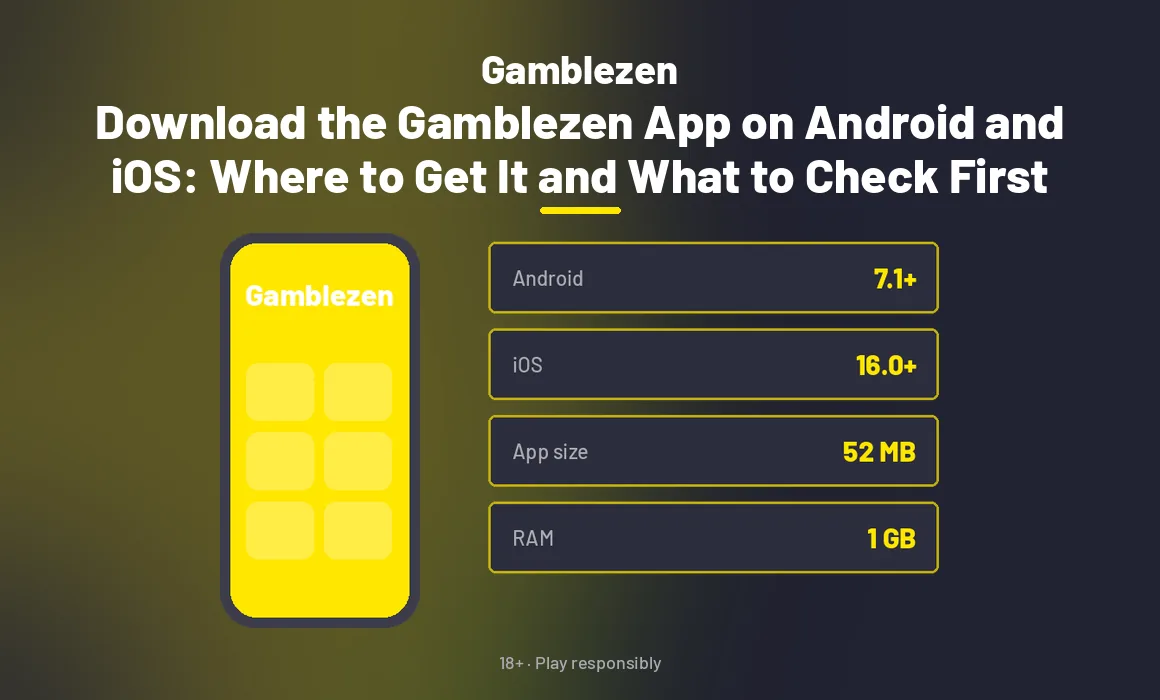
I start every download from the official gamblezen site, using the mobile menu, never from a search-result link or a third-party file host. Before tapping install, I confirm three things: the page is the operator's own, I am 18 or over, and my phone has room and a current system. Rating, file size and version are shown on the download page.
| Device | Install route | What to check before installing | Main risk |
| Android | Download from the official site via the mobile menu, then install the file | Address bar matches the official domain; unknown-source permission is granted only for this download | Fake or modified files from unofficial sites |
| iOS | Follow the official site's iOS link or instructions | Link leads from the official site; the page lists the current version and requirements | Look-alike pages imitating the operator |
Three checks before you install anything
I recommend running these in order:
1. Official source. Open the site yourself, check the domain and the padlock, and use only the download button found there.
2. Age and account. Gambling is for adults only (18+). Have your ID ready, because KYC checks may be requested before withdrawals.
3. Device readiness. Free some storage, update your operating system if it is old, and use a stable Wi-Fi connection so the download is not interrupted.
If any check fails, I stop and fix it first. Set a deposit limit before your first session, and remember that gambling carries a real risk of loss.
Android APK Install: Step-by-Step and What Can Go Wrong
On Android, the Gamblezen app is installed from a downloaded APK file rather than a store listing. I download it only from the operator's own page, allow installation for that one source, install, then open the app. The failure points are unofficial downloads and unrelated permission prompts.
1. Open the official Gamblezen site in your phone's browser and find the app download link in the mobile menu.
2. Tap the Android download. If the browser warns about the file type, that is normal for APKs, but I stop if the link came from any other site.
3. When the phone asks, open your Android security or app-install settings and allow installs from that browser, only for this one file.
4. Open the downloaded file and tap install. Read each permission prompt, and if one looks unrelated to a casino app, I cancel.
5. Launch the app and log in or register. The connection should use SSL, and the RNG-based game results run on the operator's side, not on your phone.
6. Switch the unknown-source permission back off once installation is done.
New accounts are subject to KYC, so expect to upload ID documents before your first withdrawal.
If the install fails or the app will not open
The usual causes are a blocked install setting, too little storage, an outdated Android version, or an interrupted download. I clear space, check the permission from step 3, update the system if an update is waiting, and delete the partial file. Then I download again from the official page, not from a mirror link someone sent me. If it still fails, I contact the operator's support through the site rather than trying other file sources.
iPhone and iPad: App Store, Shortcut or Browser Version
For iPhone and iPad, I check the official Gamblezen site to see which iOS route is currently offered, because the available option can change. I do not assume a store listing exists. I follow only the link or instructions shown on the operator's own pages and ignore search-result lookalikes.
Option 1: The route shown on the official site
I open the site in my phone's browser, look in the mobile menu for an iOS or app section, and read what it says. If it points to an installable app, I follow the steps there and check that the address matches the official domain before entering any details.
Option 2: Browser version on the home screen
If no iOS app is offered, the mobile browser version still works. As a generic fallback, many iPhones let you save a site to the home screen from the browser's share menu, which gives you an icon that opens the site quickly. This is simply a bookmark-style shortcut, not a separate installed app, and it does not change how the account or games work.
How I confirm which option applies
1. Type the official address in manually or use a bookmark I trust.
2. Look for the iOS information in the menu or footer.
3. Read any stated device or system requirements before proceeding.
4. If I cannot find a clear iOS route, I use the browser version and ask support through the site.
I would never install a profile or file from a link sent in a message or found on a forum. Gambling is for adults aged 18 or over, and it carries a real risk of loss, so I treat it as entertainment and set limits before I start.
Gamblezen App vs Mobile Browser: Which Suits You
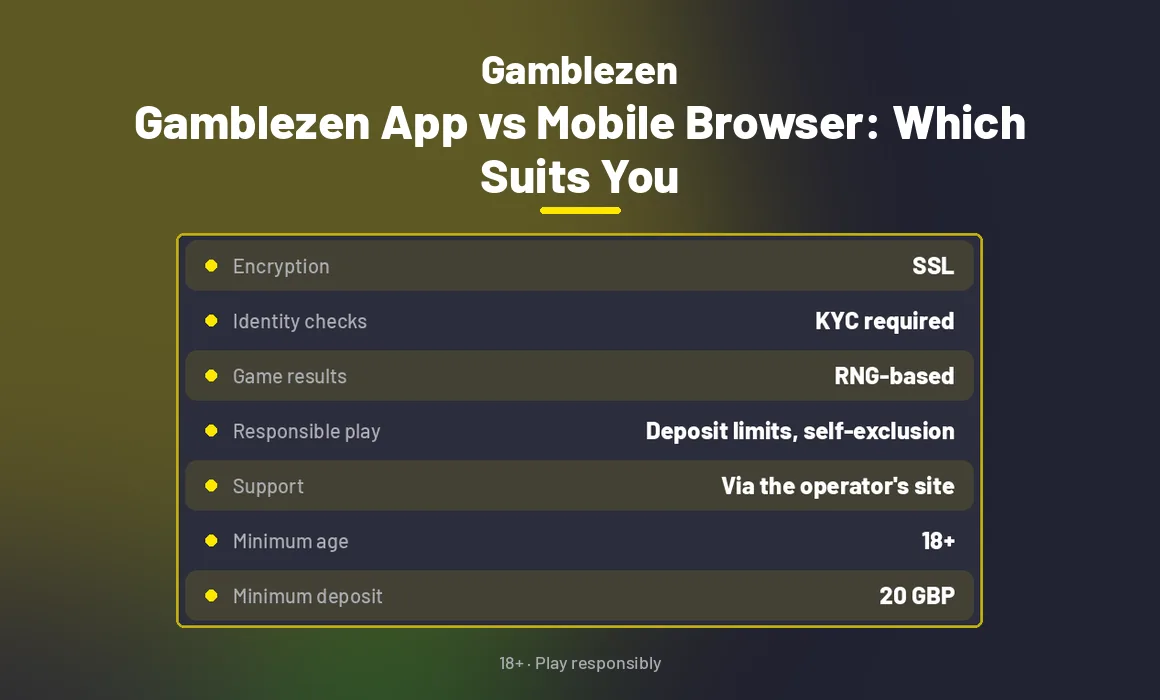
The Gamblezen app and the mobile browser version both give access to the same kind of play on a phone. The app suits people who play often and want quicker access, while the browser suits occasional players, older phones and anyone short on storage. I choose by how often I play.
| Factor | App | Mobile browser |
| Installation effort | Download and install steps, plus a permissions check on Android | None; open the official site |
| Notifications | Can offer alerts if I allow them | Usually none unless the browser supports them |
| Storage | Uses space on the device | Minimal, apart from browser data |
| Convenience | Opens from an icon in one tap | Needs a bookmark or home-screen shortcut for quick access |
When I would skip the install
I would skip the app if my phone is older, if storage is already tight, or if I play only now and then. In those cases the extra setup and permissions are not worth it, and the browser does the job. I also skip it if I am unsure the download page is the operator's own, since a fresh install is the point where most avoidable mistakes happen.
When the app makes sense
If I play regularly on a phone with spare storage and a current system, the app saves a few taps each session. Even then, I keep notifications to what I need, because frequent alerts can nudge me to play more than I planned.
Whichever option I use, I set deposit and time limits first.
Registering, Logging In and KYC Through the App
Registering in the Gamblezen app takes a few minutes, but KYC identity checks can hold up your first withdrawal if documents are not ready. I upload my ID early, right after signing up, so verification is not the thing that delays a cash-out later. Sign-up details are on the gamblezen registration page.
Gamblezen requires KYC, which usually means proving who you are, your age (18+) and sometimes your address. I send clear, complete photos of valid documents, because blurry or cropped images are a common reason for requests to be repeated. I would rather spend ten minutes on this at the start than wait while a withdrawal sits pending.
The platform uses SSL to encrypt data between your phone and the site, which is why I only register on the official domain and never over an unknown network. Game outcomes rely on an RNG, so results are not something I can predict or influence by timing or patterns.
Logging in from the app
I log in through the app or the official site using my own credentials, and I point readers to the gamblezen casino login page for the full steps. On a phone, I use a strong unique password, avoid saving it on shared devices, and log out after each session. If I suspect someone else has accessed my account, I change the password and contact support straight away.
Bonuses and Deposits on Mobile: What to Check Before You Opt In
On mobile, I check an offer's wagering requirement first and the withdrawal path second. The Gamblezen welcome package is 100% up to £500 + 200 free spins, with a minimum deposit of £20 and wagering of x40. It is a deposit offer only, and nothing in it is available without a deposit.
Wagering of x40 means the bonus amount must be played through 40 times before winnings tied to it can usually be withdrawn. That is a demanding condition, so I only opt in if I am comfortable with it. The full rules are on the gamblezen welcome bonus page, and I read them before depositing.
| Item | What to look for | Where to find it |
| Minimum deposit | The qualifying amount, stated as £20 for this package | Offer page and cashier |
| Wagering | The x40 requirement and which stakes or games count toward it | Bonus terms |
| Free spins | Which games they apply to and any expiry | Bonus terms |
| Payment choice | Whether the method I pick affects eligibility | Cashier |
| Withdrawal path | Limits, timing and any verification needed | Cashier and terms |
The cashier shows the available payment methods and their processing times, so I check it on my phone before I deposit rather than relying on anything written elsewhere. I also confirm that my method can be used for withdrawals, since the route I pay in with can shape how I get money out.
A bonus is not extra money to bank on. It adds conditions and can lead to losses like any other play, so I skip it whenever the terms feel too restrictive.
Staying Safe: Fake Apps, SSL, KYC and Fair Play
To avoid fake or modified installers, I download the Gamblezen app only from the operator's own site and check the file before opening it. Gamblezen uses SSL to protect data in transit, requires KYC identity checks, and relies on an RNG for game outcomes.
Warning signs I look for
- Download links that arrive by message, email or social media rather than the official site.
- Pages whose address is almost, but not exactly, the official domain.
- Permission requests that have nothing to do with a casino app, such as access to contacts or messages.
- Offers that promise unusually generous rewards in exchange for installing a file.
How to verify an installer before opening it
1. Type the official address yourself and confirm the padlock and exact domain.
2. Download only from the button on that site, never from a forwarded link.
3. Check the file name and type look normal for an app installer.
4. Read each permission prompt and cancel if one looks unrelated.
5. Look at the licence line in the site footer to confirm the operator's licensing yourself.
What SSL, KYC and RNG mean for you
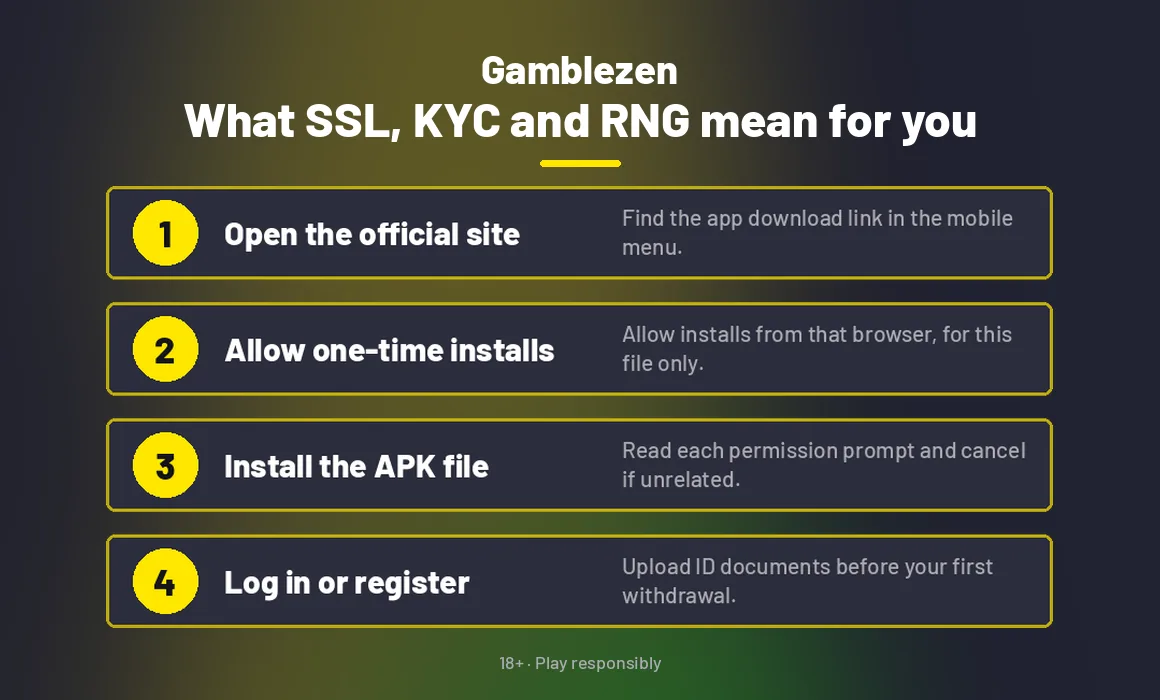
SSL encrypts the connection between your phone and the site, so details such as passwords are harder to intercept. KYC is the identity check, covering your age (18+) and documents, and it protects both you and the operator. An RNG is a random number generator that decides game results, so no pattern or timing trick can predict them.
Gambling is for adults only and carries a real risk of loss, so I treat it purely as entertainment.
Setting Limits on a Phone: Deposit Limits, Self-Exclusion and Support
A phone is always within reach, which makes it easy to play longer or deposit more than planned. I set deposit limits before my first deposit and recommend the same.
Tools I set up first
- Deposit limits: I choose a daily, weekly or monthly cap I can comfortably afford, and I do not raise it in the heat of a session. They also help keep play within responsible bounds for adults.
- Self-exclusion: If gambling stops feeling like fun, I can step away for a set period or longer through the account settings or by asking support.
- Time checks: I use my phone's own timer or screen-time tools as a reminder to stop.
Where to get support
If gambling is causing stress, debt or arguments, I would talk to GamCare, a UK support service offering free, confidential help. Speaking to someone early is easier than waiting until losses build up.
Only play with money you can afford to lose, never to recover losses, and never if you are under 18.
Who the App Does Not Suit and Quick Decision Rule
My rule is simple: install the Gamblezen app only if I play regularly, have a current phone with spare storage, and have found the download on the official site. Everyone else is usually better served by the mobile browser, and some people should not play at all.
My recommendation by player type
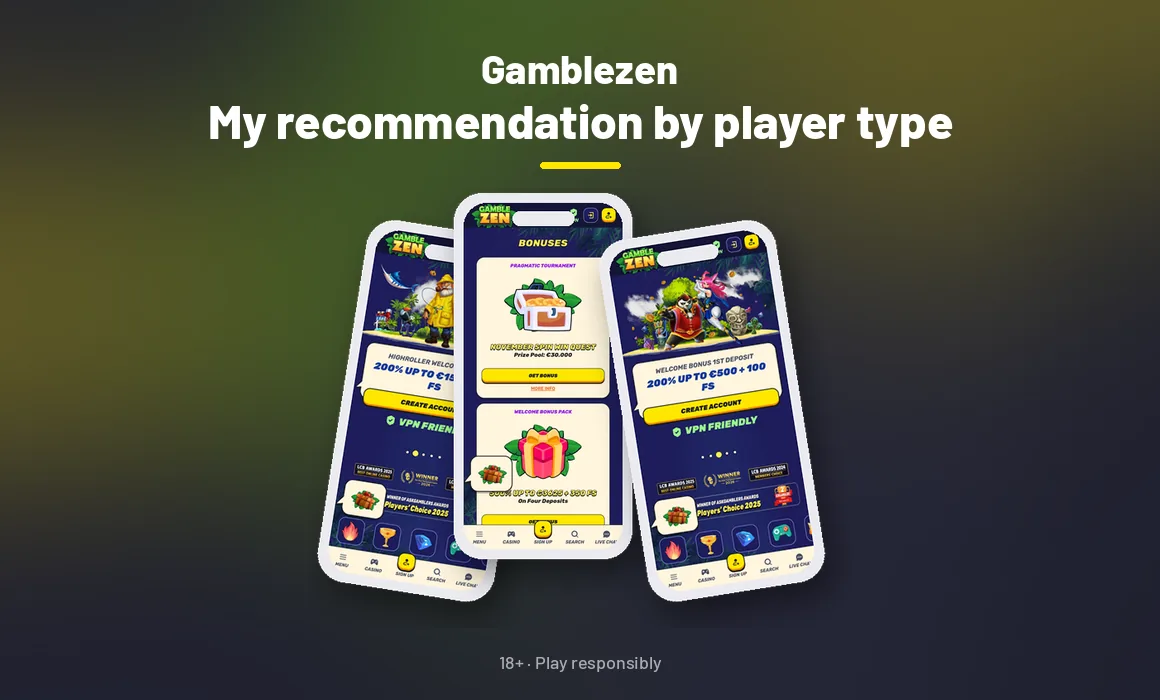
- Regular players on a recent phone: I would install the app, from the official site only, and set deposit limits first.
- Occasional players, older phones or tight storage: I would use the mobile browser and skip the install.
- Anyone unsure the download page is genuine: I would wait, use the browser and check the source before installing anything.
- Anyone under 18: gambling is not for you, and the app is not for you either.
- Anyone playing to recover losses, cover bills or earn money: I would stay away. Gambling is entertainment with a real risk of loss, not an income source.
If I notice I am playing longer than planned or chasing losses, I stop and use the self-exclusion and support tools instead of reaching for a different device or route.
For readers asking about free offers, I keep that topic on its own page: see gamblezen no deposit bonus.
Questions and answers
Does the Gamblezen welcome offer include a no deposit bonus or free spins without paying in?
No. The Gamblezen welcome package is 100% up to £500 + 200 free spins, and it is a deposit offer only, with a minimum deposit of £20 and wagering of x40. Nothing in it is released without a deposit. Codes advertised elsewhere as no deposit spins are a separate topic, so I check the bonus terms and the cashier before assuming any free offer applies to my account.
Why does Gamblezen KYC sometimes delay a first withdrawal, and how can I avoid it?
KYC is an identity check covering your age (18+), your documents and sometimes your address, and a withdrawal can sit pending until it is complete. The usual cause of delay is blurry, cropped or incomplete document photos that have to be sent again. I upload clear photos of valid ID straight after registering, so verification is finished before I ever request a cash-out.
Is the x40 wagering on the Gamblezen welcome bonus a good deal for UK players?
It is demanding. Wagering of x40 means the bonus amount must be played through 40 times before winnings tied to it can usually be withdrawn. You gain extra balance and 200 free spins, but you lose flexibility, because cashing out is restricted until the requirement is met. I only opt in if I am comfortable with that condition, and I skip the bonus when the terms feel too restrictive.
Does the Gamblezen app use a different account from the mobile browser version?
No. The app and the mobile browser give access to the same account and the same kind of play, so your login, KYC status and deposit limits carry across both. The difference is convenience: the app opens in one tap but needs installation steps and storage, while the browser needs neither. Game outcomes rely on an RNG on the operator's side, so the route you choose does not change results.